
SoundBar 1.1 is out, four days after the launch. It brings 19 equalizer presets, presets of your own, and a mixer that stays short. The releases just before it added a player for the song in the notch and sound on several devices at once. All of it is a free update.
If you haven’t used it, SoundBar is a per-app volume mixer for Mac. Every app that plays sound gets its own volume, mute, equalizer and output, in the MacBook’s notch or the menu bar. I wrote about why I built it at the launch.
19 equalizer presets
SoundBar launched with 11 presets. 1.1 adds eight: Pop, Rock, Jazz, Classical, Hip-Hop, R&B, Dance and Movie.
Nineteen names in one list would make a long menu, so the menu groups them. Flat is at the top, then three groups, each opening its own short list:
- Tone: Bass Boost, Bass Reducer, Treble Boost, Treble Reducer and Loudness.
- Music: Acoustic, Classical, Dance, Electronic, Hip-Hop, Jazz, Pop, R&B and Rock.
- Voice and Video: Vocal, Podcast, Movie and Late Night.
A tick shows the preset in use. Each app keeps its own, so Music can be on Jazz while a browser plays a film on Movie. The presets’ names are in your language now; they were in English everywhere before.
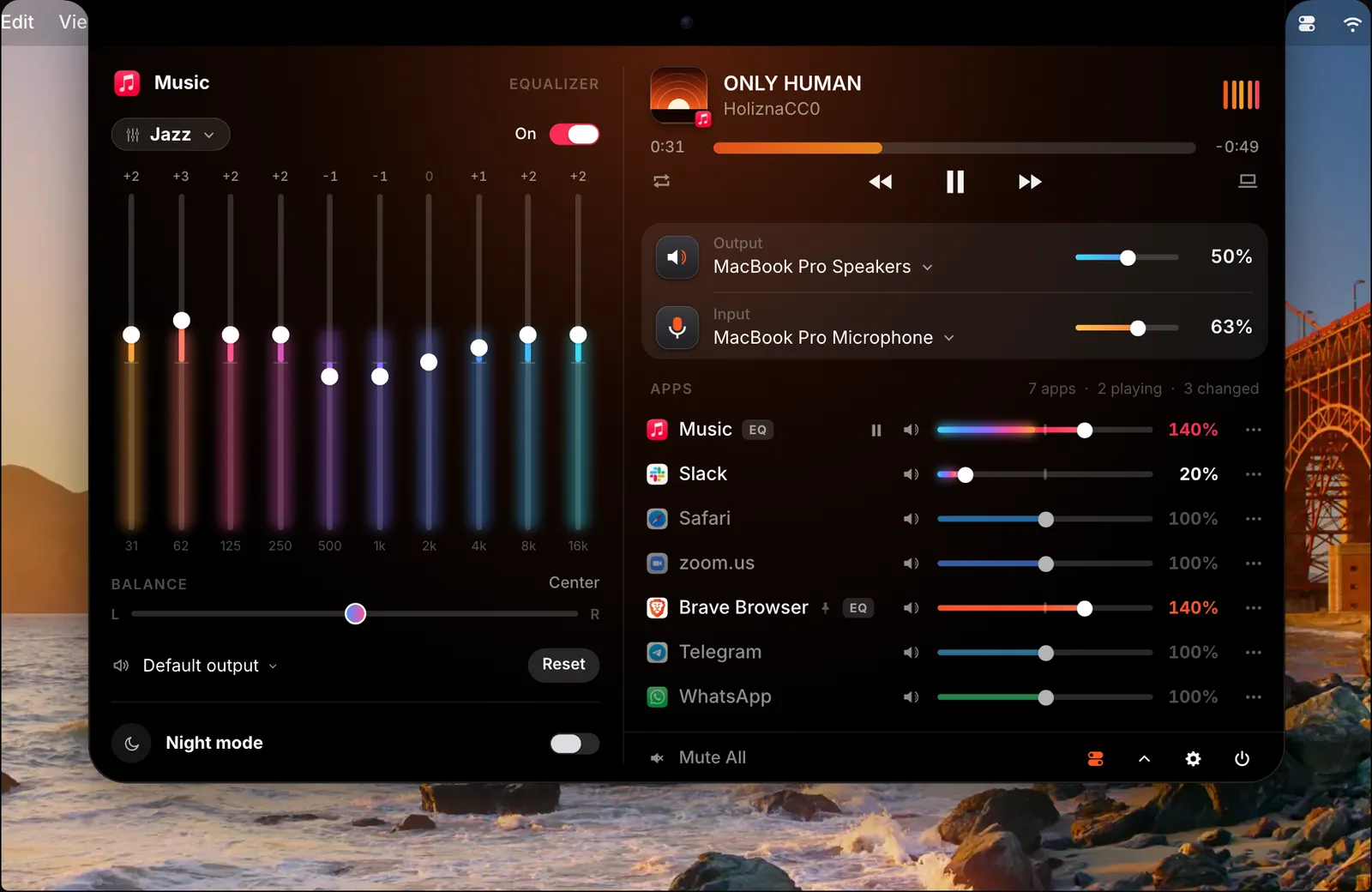
Save a preset of your own
Shape the ten bands the way you like them, open the preset menu and choose Save as Preset. From then on it is in every app’s preset menu, under Saved. To rename or remove it, go to Settings › Sound, under Equalizer presets.
A mixer that stays short
The full mixer used to list every app that had sound open, and it grew with each one. It now shows the first eight: the apps that are playing and the ones you have changed. Show all, under the list, shows the rest, and the list scrolls in place, so the panel keeps its height.
The menus that open from the notch and the menu bar panel, such as the preset menu and the output menu, are dark now, like the panels. On a Mac set to light they used to be light.
Play on several devices at once
You can now tick more than one device in the output menus. Tick two or more in the Output menu at the top of the mixer, and the whole Mac plays on all of them: headphones and speakers together, or the same song in two rooms. Tick them in one app’s Play Through menu instead, and only that app does.
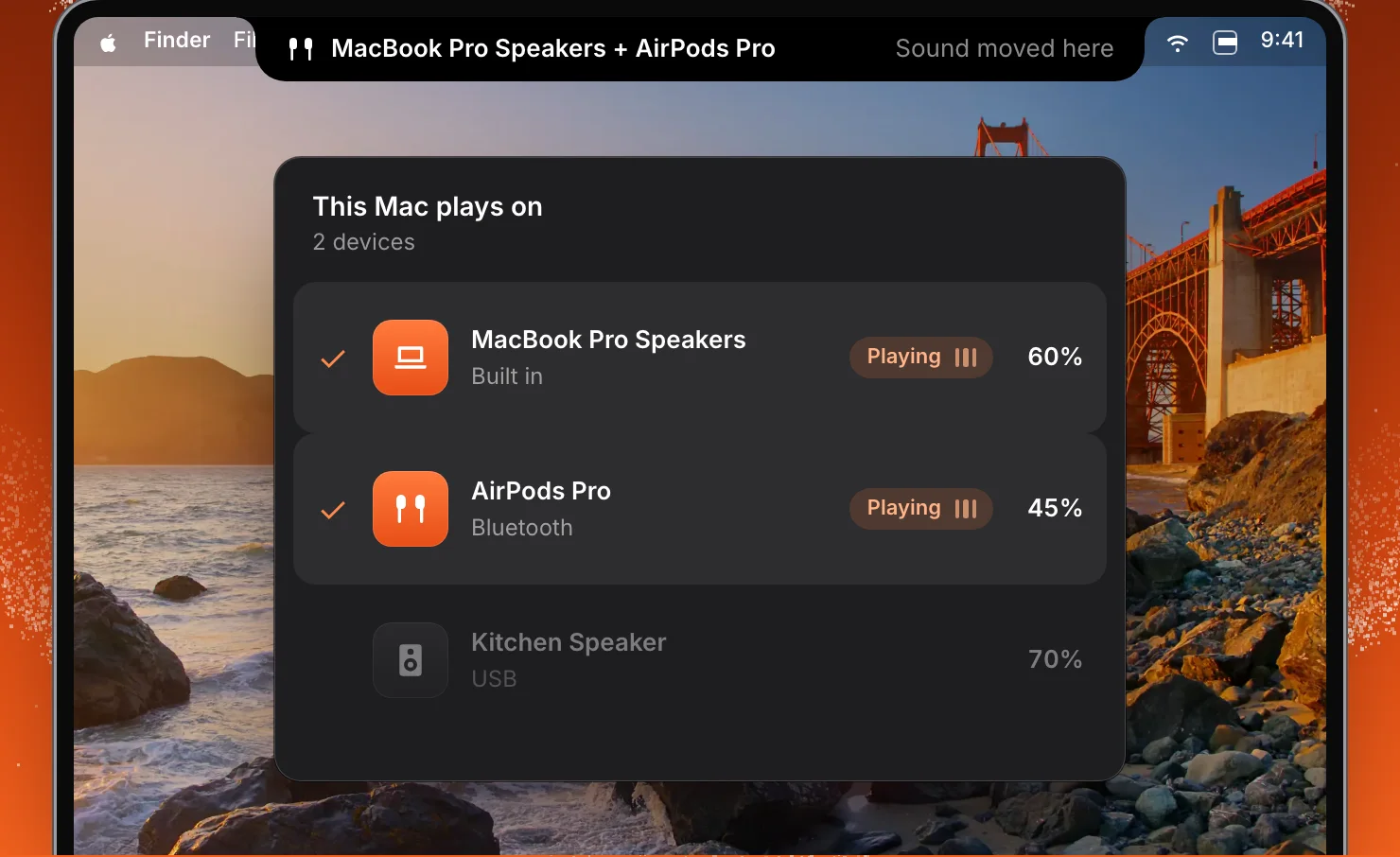
The Mac’s slider and its mute move every device together and keep the balance between them. A button on the Output row opens a slider for each device, so the speakers can sit lower than the headphones.
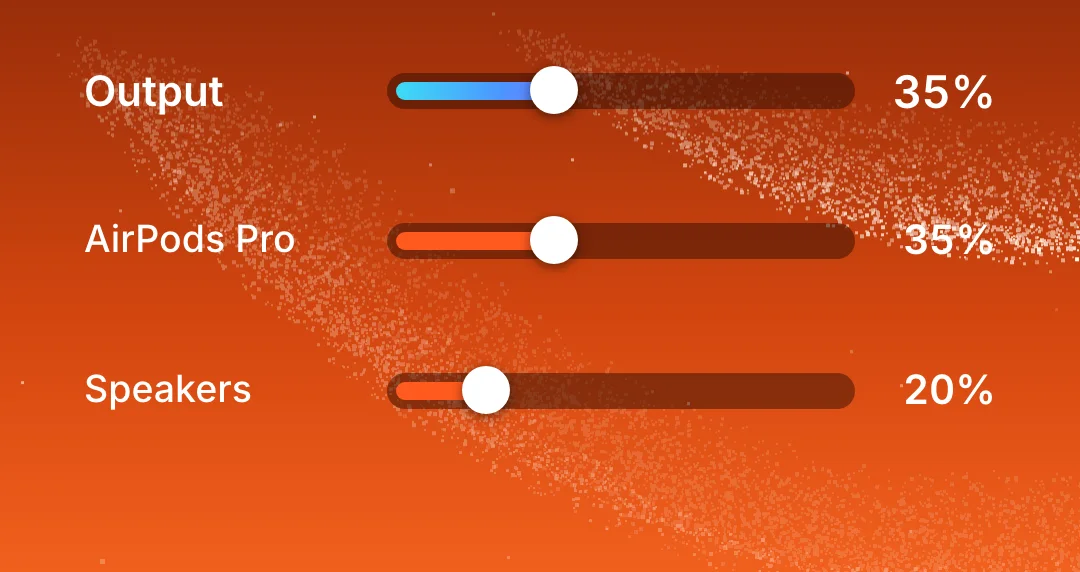
If one device plays ahead of the others and you hear an echo, hold it back by up to 500 ms with the timer button beside its slider. When one of them disconnects, the sound carries on with the rest and the notch tells you.
The keyboard’s volume keys work on all of them only once SoundBar takes the keys over, and that option is off by default. So while the Mac plays on several devices, a line under the devices’ sliders tells you, with Turn On at its end. Turn On switches on Take over the keyboard’s volume keys (in Settings › Notch) and asks macOS for Accessibility if it needs to.
A player for the song
The song at the top of the notch is a player now. A bar shows the time gone and the time left; click or drag it to move through the song, in apps that allow it. Under the bar are previous, play or pause, and next. On the left is repeat, for apps that offer it, such as Music and Spotify. On the right is the device the song plays through, with a menu to send it to another one.
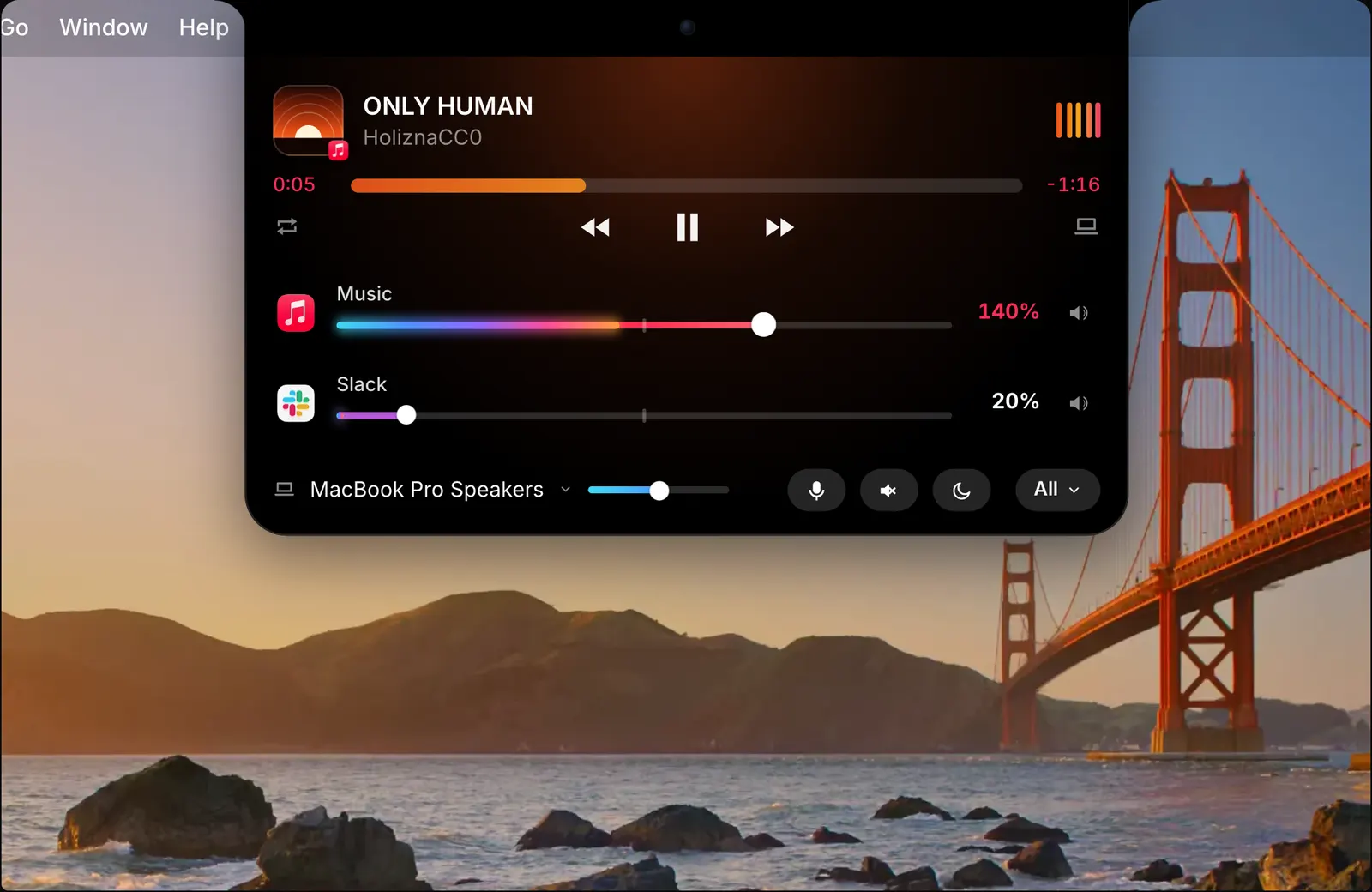
Press Space while the notch or the menu bar panel is open to pause the song, and again to play it. It works in the notch since 1.1.1 and in the panel since 1.1.2.
Fixes
- The setup moves on after you allow audio access. On a Mac where macOS hadn’t asked yet, choosing Allow left the setup stuck on its audio access page, though access had been given.
- The license key field is easier to type into. It writes the key in capitals and puts the hyphens in as you type, and a key pasted with spaces or other text around it is tidied the same way. Copy and paste could stop working in it; that is fixed too.
- No more false “Audio access isn’t working” with several devices. While the Mac played on several devices, SoundBar’s own check could hear silence where there was none and stop adjusting apps. It now listens through the devices themselves.
Every change, release by release, is in the changelog.
Price and how to update
If you have SoundBar, it will offer the update. To get it now, click Check for Updates… in Settings › About. With Homebrew, brew upgrade --cask soundbar does the same.
SoundBar is a one-time purchase: one payment, every update for life, no subscription. The regular price is $29 a Mac. For Black Friday, until the end of December 5, it is $6.99 for one Mac, $9.99 for two and $19.99 for five, with no code needed. There is a three-day free trial with no account and no card, and a 14-day refund, no reason needed.