
SoundBar 1.2 is out, the same day as 1.1. It corrects your headphones’ sound for the model you own, keeps AirPods at full quality on calls, and lets a Focus apply a profile. Settings got a lot easier to read too. It is a free update.
If you haven’t used it, SoundBar is a per-app volume mixer for Mac. Every app that plays sound gets its own volume, mute, equalizer and output, in the MacBook’s notch or the menu bar. I wrote about why I built it at the launch.
Headphone correction for your model
Most headphones don’t play every frequency at the same level. Some boom in the bass, others are sharp in the treble. Labs and reviewers measure them, and the AutoEq project by Jaakko Pasanen turns those measurements into a correction for each model.
SoundBar 1.2 ships with about 6,000 of them. Open Settings › Sound, click Choose… under Headphones, and search for yours. When a connected device’s name matches a model, such as AirPods Max, SoundBar lists the models that fit at the top and offers the correction once in the notch, with Use It. When a name could be several models, such as plain “AirPods”, it doesn’t guess and lets you choose.
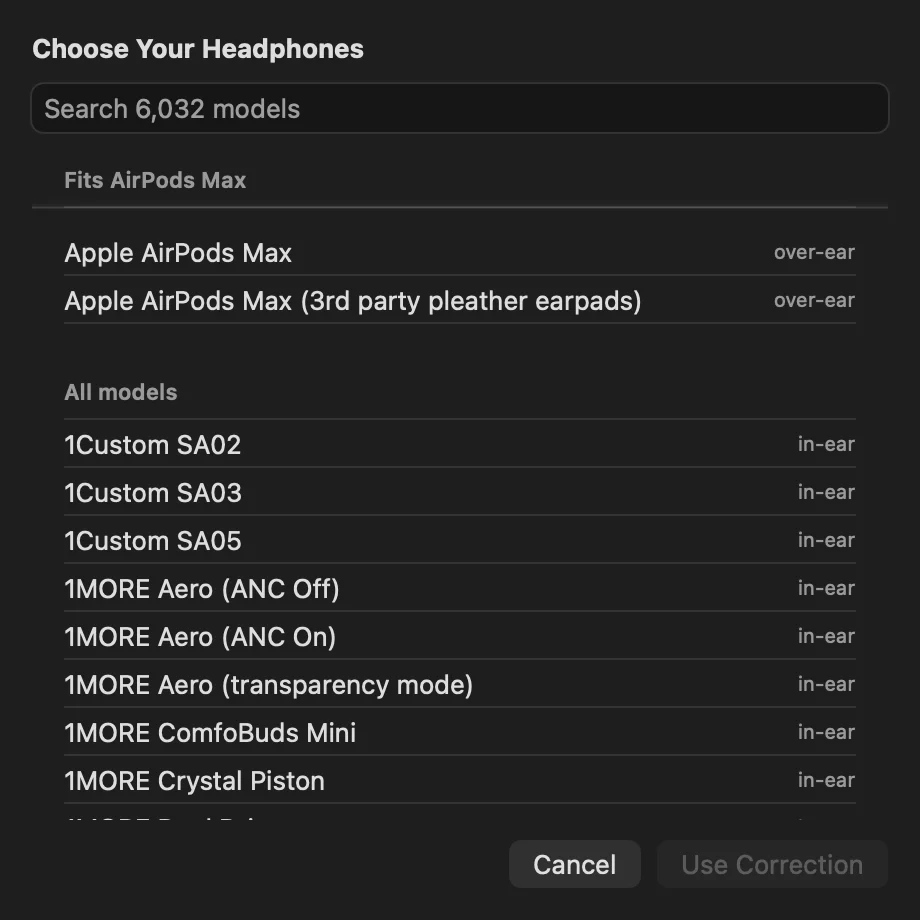
Each output keeps its own correction and uses it while it plays on its own, so the speakers never get the headphones’ curve. You can still import an AutoEQ file or paste one, and Adjust… opens the correction’s bands if you want to change them by hand.
AirPods stay at full quality on calls
When an app uses the microphone of Bluetooth headphones, macOS switches them to a call mode, and the music in your ears drops to call quality. It happens the moment Zoom, Teams or FaceTime starts listening.
SoundBar now has apps use the Mac’s own microphone instead, so the headphones keep playing at full quality. The notch says so when it happens. It is on by default, in Settings › Microphone. With the MacBook’s lid closed, the built-in microphone hears nothing, so the headphones keep their own. A microphone you choose yourself in Control Center stays as you chose it.

Profiles for a Focus
A profile keeps every app’s level, mute, equalizer and output, and could already apply itself when a device connects, while an app is open or at a time of day. Now a Focus can apply one too. In System Settings › Focus, open a Focus, add SoundBar’s filter under Focus filters, and choose a profile. It applies while the Focus is on, and the mix from before comes back when the Focus ends.
Never switch to a device, and Undo
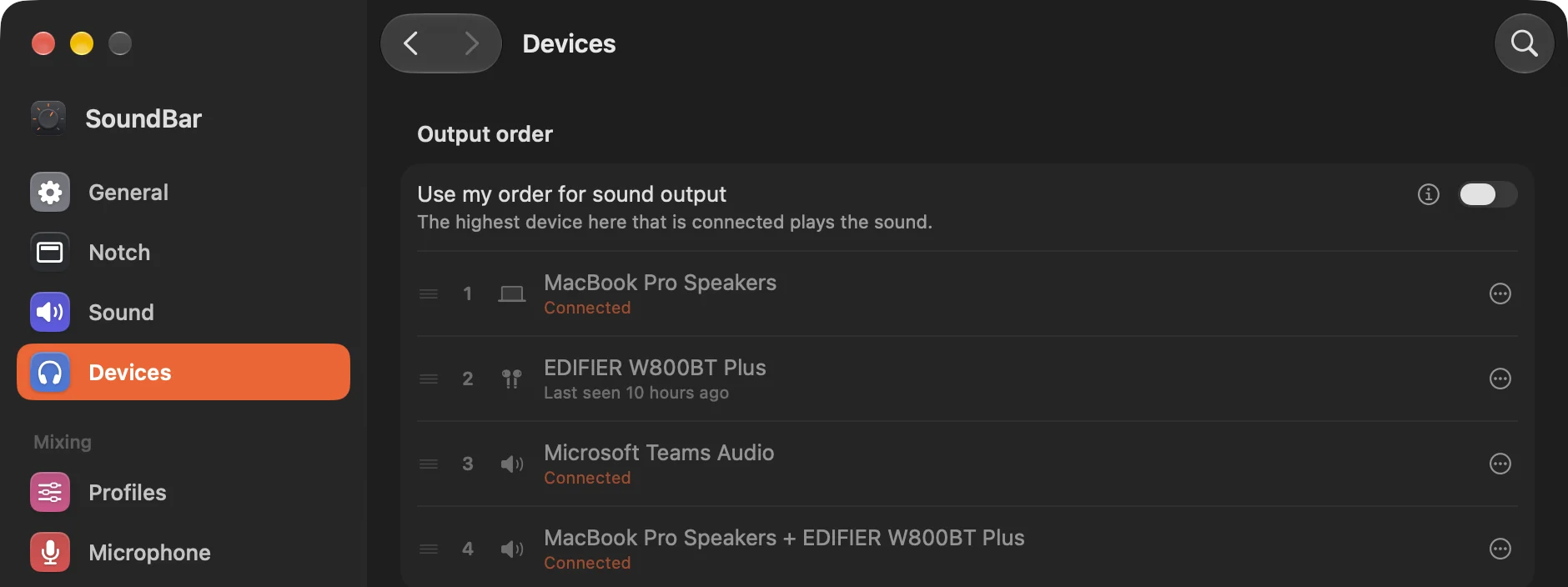
Some devices should never get the sound: a TV that wakes up over HDMI, a capture card, a virtual microphone from a meeting app. In Settings › Devices, open the menu beside one and choose Never Switch to It. If macOS moves the sound or the microphone there, SoundBar moves it back.
And when the sound does move to another device, the notch’s notice has Undo, to put it back where it was.
Volume keys for the app in front
SoundBar can take over the keyboard’s volume keys, in Settings › Notch; the option is off by default. Once it does, you can now choose what volume up and down change: the Mac, or the app in front. ⌥ with the keys changes the other one. Mute always mutes the Mac.
Settings from before an update
SoundBar now keeps a copy of your settings each time it updates. If an update changes something you liked, Settings › General puts the copy back and restarts SoundBar. Your license stays as it is.
Settings, easier to read
Settings had grown long paragraphs and rows of small buttons. Every setting now has a short name, at most one line under it, and its control on the right. The longer explanations are still there, behind an ⓘ beside the setting. Each device in Settings › Devices has one menu instead of five little buttons, new groups and profiles open a small sheet, and resetting every app asks first.
Fixes
- One SoundBar at a time. A second copy, such as one left in Downloads, could start beside the first, and each then silenced what the other played. A second copy now quits as it starts.
- The equalizer opens on what is playing. The equalizer beside the list kept showing the app it showed last, so with music playing in Chrome it could open on another app. Since 1.2.1 it opens on a playing app with its equalizer on, else the app playing the song.
Every change, release by release, is in the changelog.
Price and how to update
If you have SoundBar, it will offer the update. To get it now, click Check for Updates… in Settings › About. With Homebrew, brew upgrade --cask soundbar does the same.
SoundBar is a one-time purchase: one payment, every update for life, no subscription. The regular price is $29 a Mac. For Black Friday, until the end of December 5, it is $6.99 for one Mac, $9.99 for two and $19.99 for five, with no code needed. There is a three-day free trial with no account and no card, and a 14-day refund, no reason needed.