
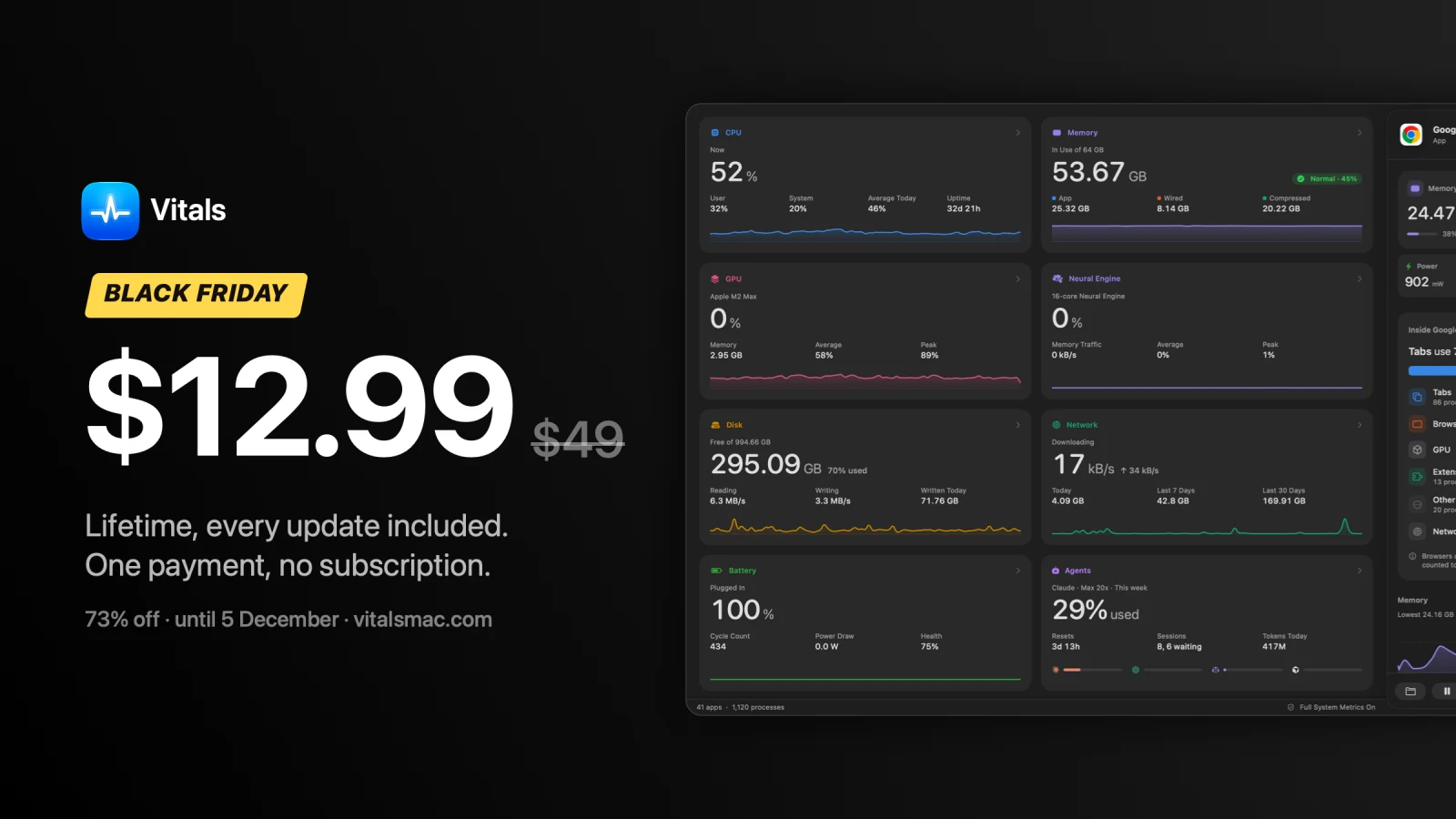
Vitals came out on September 21 and has had 82 updates since. For Black Friday it’s $12.99 instead of $49, paid once, with every update for life. The deal ends on December 5.
I’ve written about most of those updates one at a time. This post puts them together: what Vitals does, what two months have added to it, and what the deal gets you. If you only came for the prices, they’re further down.
What Vitals does
Open Activity Monitor on a Mac you work on and you get about a thousand processes. Chrome alone is dozens of them, and no row is the total for Chrome. The question you opened it with, what is slowing my Mac down, is left for you to add up.
Vitals adds it up. Every helper and background process is counted under the app it belongs to, so the same Mac shows about 60 apps, each with one figure for CPU, memory, energy, disk and network. I wrote about why I built it when it came out.
It also remembers. It keeps up to a year of history on your Mac, so the app that drained the battery this afternoon still has a name in the evening. It tells you when an app is stuck at full CPU or keeps growing in memory. It sits in the menu bar with the readings you choose, and gives every app that plays sound a volume of its own.
That much was there in the first weeks. The rest came after.
Two months, 82 updates
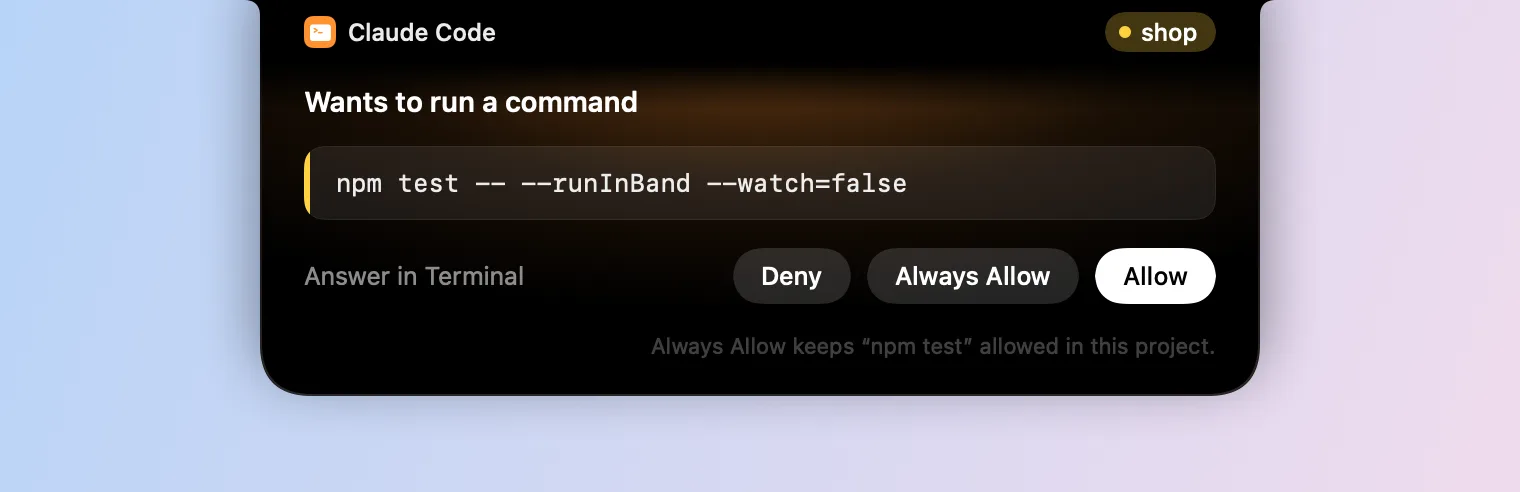
A lot of them started as an email. On September 29 a customer sent me one line, asking whether Claude could read Vitals. Nine days later it could. Claude, Codex and Cursor can now ask Vitals what your Mac is doing, and by default they can’t quit anything until you click yes.
They weren’t all new features. On October 28 I shipped seven updates in one day, most of them to get temperatures and the Neural Engine right on chips newer than mine. And 1.13 made Vitals quit on some Macs. It took three more releases in two days to find the cause, and a customer’s diagnostic report is what showed it.
Here are the ones I’d show you first.
Answer Claude Code and Codex from the notch
I run two or three coding agents most days, each in its own terminal. They stop when they need permission to run a command or edit a file, and they wait. I’d find out when I next looked at that terminal, sometimes twenty minutes later.
Now the request comes out of the MacBook notch, with the command and the project. I click Allow or Deny and stay in the app I’m in. Claude Code’s questions are answered there too. More about the notch.
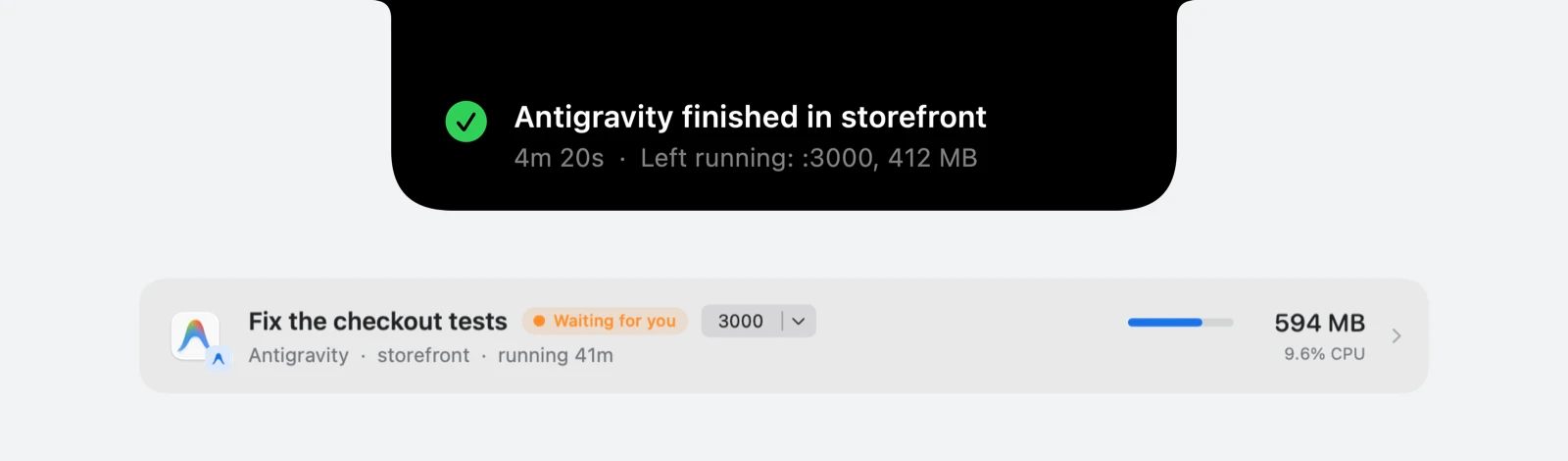
The newest part came out on November 22, again because a customer asked: Google’s Antigravity. It doesn’t let another app answer its permission requests, so those stay in its own window. What Vitals can do is tell you when a long turn finishes, how long it took, and which dev servers it left running. The Agents tab lists the Antigravity app by its latest conversation, and says whether it’s working or waiting for you.
See what is left of your AI plans
I kept finding out I had hit my Claude limit when Claude stopped answering, usually in the middle of a task. Vitals shows what is left of Claude, Codex, Cursor, GitHub Copilot and others, when each limit resets, and whether you’ll run out before then. It can sit in the menu bar beside CPU and memory. More about AI limits.
Find what is on a port, and why a disk won’t eject
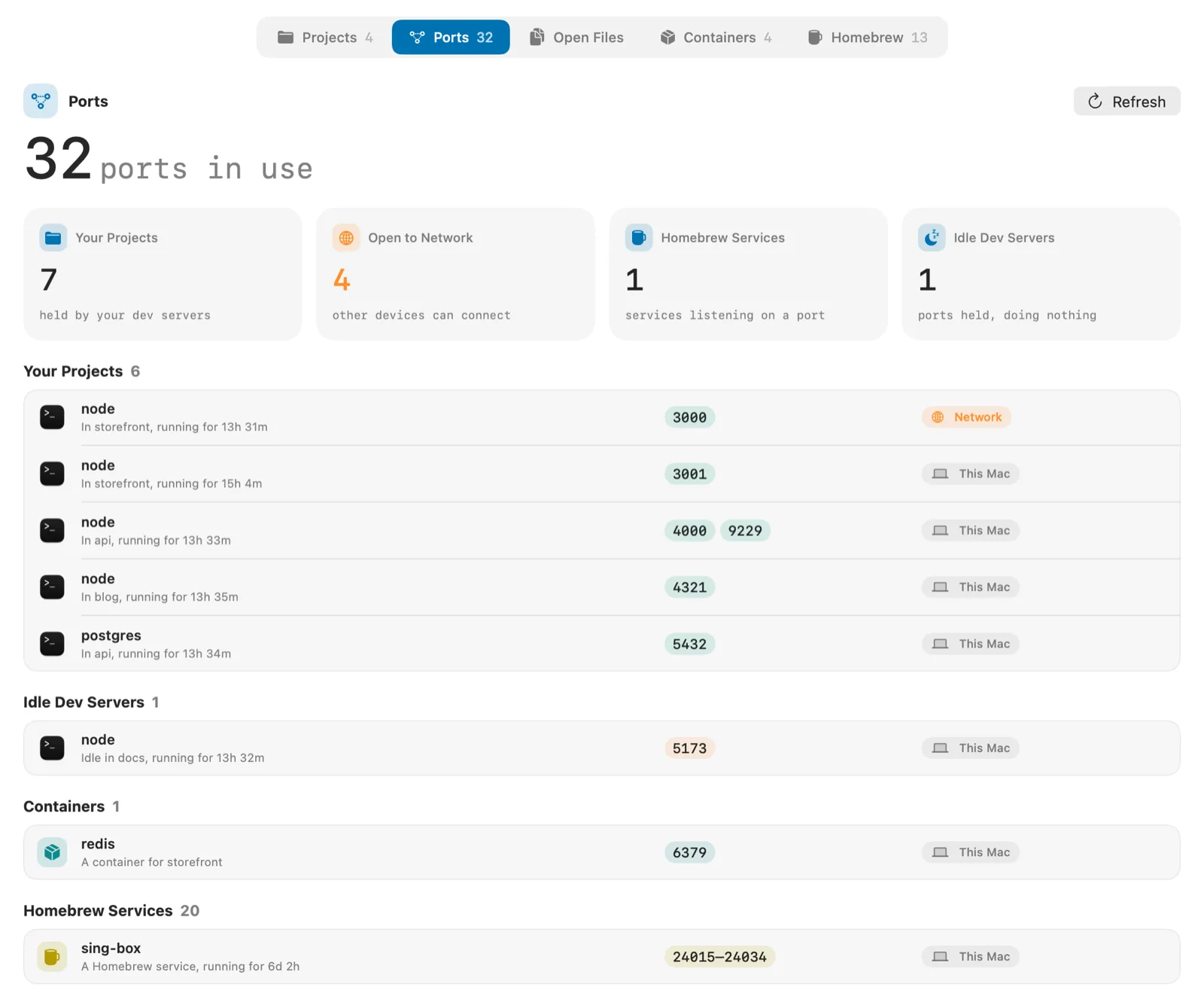
A day of work leaves a lot running: dev servers from three projects, a database Homebrew started at login, tool servers an agent never closed. Most of them are called node or python.
The Developer tab lists them under the project they came from, with every port in use, what holds it, and whether other devices can reach it. A team trying Vitals found that a project they had closed in Codex was still running. The same tab names the apps keeping a disk from ejecting, and the Homebrew packages you never run. More about the Developer tab.
Run the fans yourself
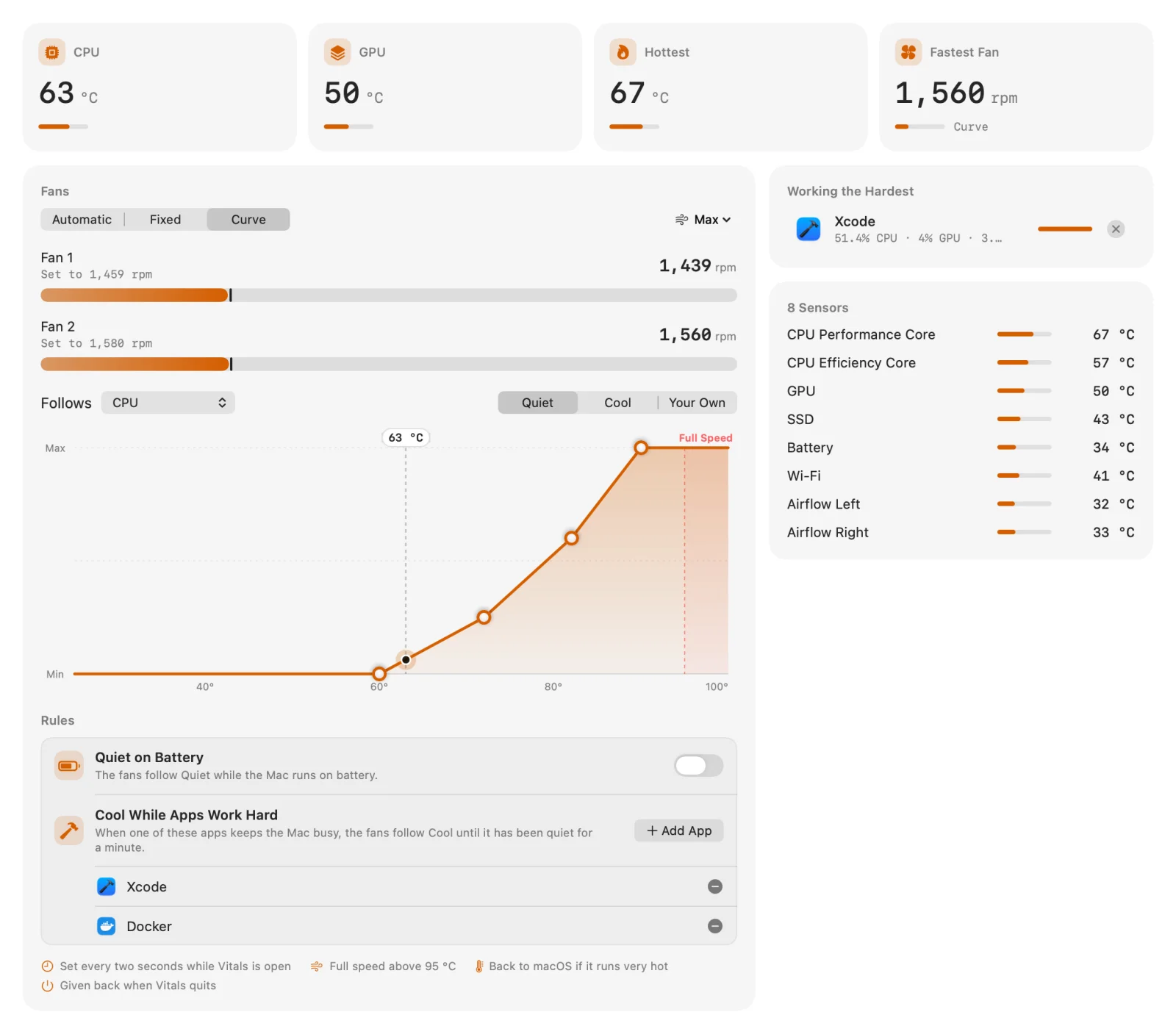
On a MacBook Pro the fans often stay at their slowest until the chips are already hot, then catch up. So a long build is a hot Mac first and a loud one after.
With Vitals you can set each fan to a speed, draw a curve it follows, or run the fans at full speed for a few minutes before the build starts. They go back to macOS when Vitals quits. More about fan control.
Find out what a process is
Activity Monitor gives a process a name and a number. When the name is com.docker.backend, that isn’t much to go on. Click any process in Vitals and you see who signed it, what started it, its full command line, its files and ports, and everything it has used since it started. More about the Process Inspector.
Pick a theme
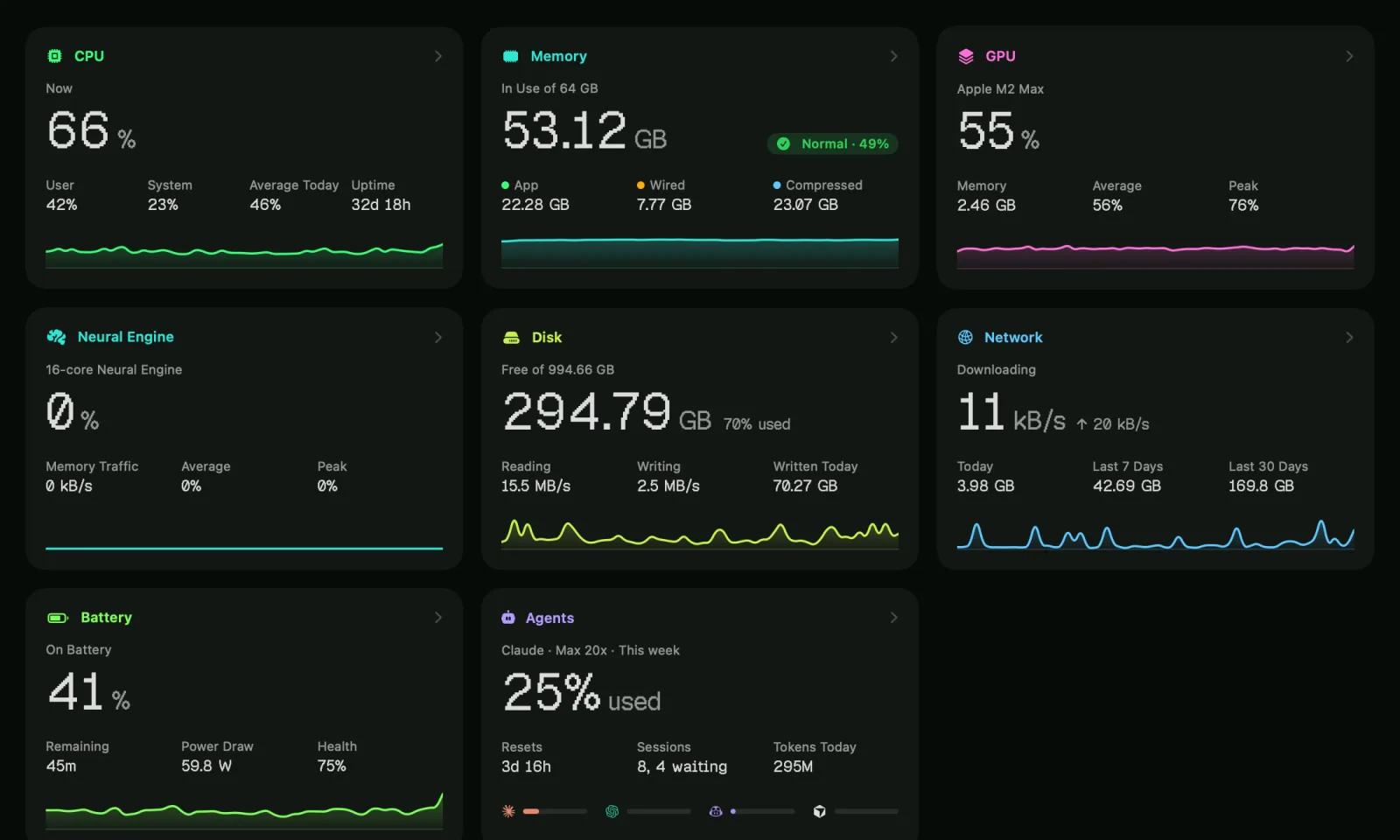
An activity monitor is a window people leave open all day, so it may as well look the way you like. There are eight themes, and the dropdown and the pictures you export follow the one you pick. This is Terminal. See the other seven.
There’s more that I won’t go through here: a vitals command for Terminal, CSV export and a year of history, Docker containers, pausing an app and resuming it later, and thirteen languages. The changelog has every one of the 82.
The Black Friday prices
| Macs | Price | Per Mac | Regular | Off |
|---|---|---|---|---|
| 1 | $12.99 | $12.99 | $49 | 73% |
| 2 | $19.99 | $10.00 | $98 | 80% |
| 5 | $39.99 | $8.00 | $245 | 84% |
| 10 | $69.99 | $7.00 | $490 | 86% |
| 25 | $149 | $5.96 | $1,225 | 88% |
The prices are already on the site, so there’s no code to enter. They run until the end of Saturday, December 5, Pacific time.
Each row is one license key that works on that many Macs, and every license has every feature. You pay once, nothing renews, and updates are included for life. There’s no account, and you can move a license to a new Mac yourself. Tax is added at checkout where your country charges it.
You don’t have to take my word for any of this. The app has a three-day free trial with every feature, no account and no card. After you buy, there’s a 14-day refund, no reason needed.
It runs on any Mac with macOS 15 Sequoia or later, on Apple silicon or Intel. Fan control needs a Mac with fans, and on a Mac without a notch the requests and alerts come from the menu bar instead.
If you already own Vitals
There’s nothing to buy. Everything in this post is a free update: choose Check for Updates in Vitals. The packs are for other Macs, or other people’s.
What comes next
Storage is next. First a map of what takes your disk space, with caches, old Xcode files and forgotten node_modules named for what they are. Then cleaning them up, one at a time, with a line on what each one is before you say yes. After that come the health of your drives and the activity of each one.
The roadmap lists all of it in order, and what I’ve said no to. There are no dates, but a license bought now includes whatever ships.
SoundBar and Levers
Two of my other Mac apps have Black Friday prices until the same day. SoundBar gives every app its own volume, equalizer and output device, in the notch or the menu bar. Levers hides the menu bar icons you don’t need on macOS 27, and has sixty one-click switches for Mac settings. Each is $6.99 for one Mac (regular $29), paid once.
Get Vitals
Get Vitals for Mac for $12.99, or try it free first. With Homebrew, it’s brew install --cask foredotstudio/tap/vitals.
And if there’s something you wish it did, email me. As you can see from the list above, that’s where a good part of it came from.