
Vitals 1.7 is out. It is about the AI tools I use all day: how much of each plan is left, and what the coding agents on my Mac are doing.
If you missed the launch, Vitals is an Activity Monitor alternative for Mac. It groups every process under the app it belongs to, so you see about 60 apps instead of 1,000 processes. I wrote about why I built it when it came out.
What is left of your AI plans
I kept finding out I had hit my Claude limit when Claude stopped answering, usually in the middle of a task. Every plan has limits: a 5-hour session, the week, sometimes a limit for one model. None of the tools show them where you are already looking.
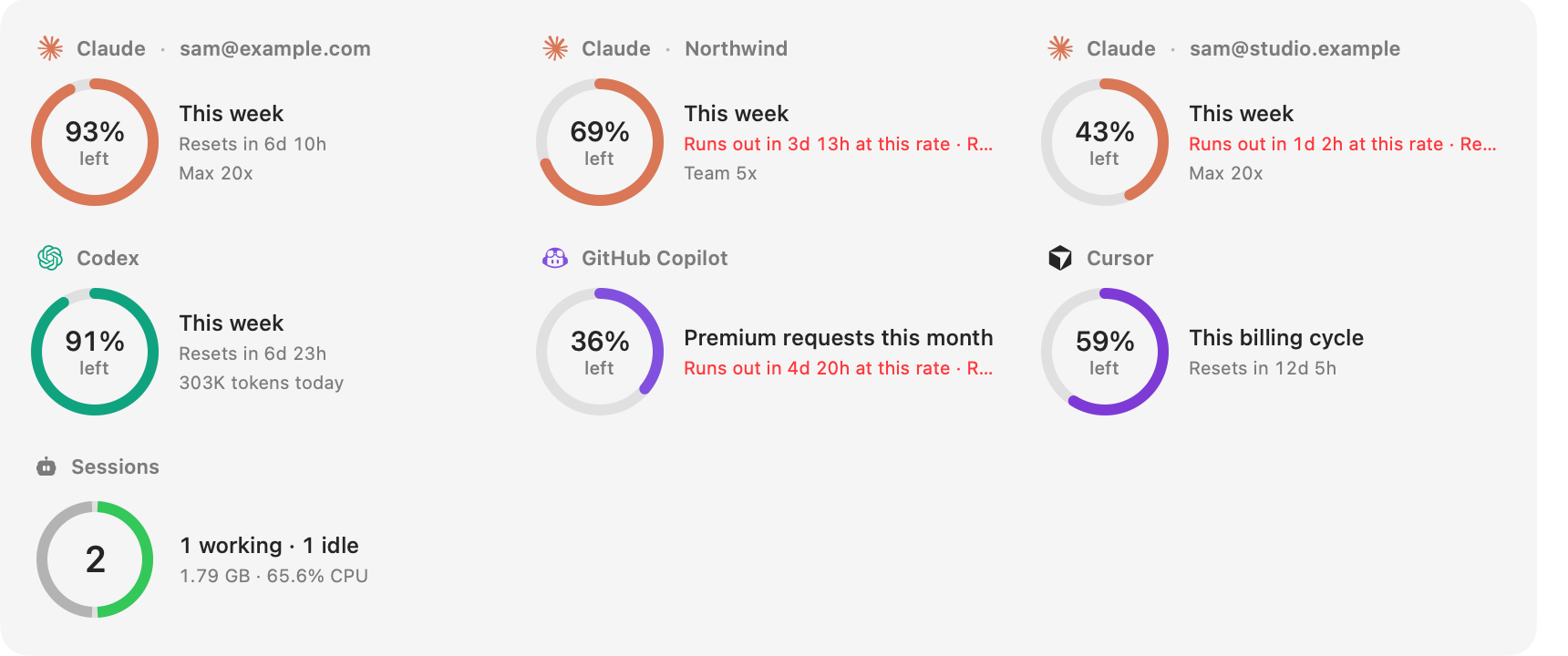
Vitals now does. For Claude, Codex, GitHub Copilot, Cursor, Antigravity, Grok, Ollama and OpenCode, it shows how much of each limit is left, when it resets, and whether you are on pace or will run out before then. A limit that will run out first says so in red.
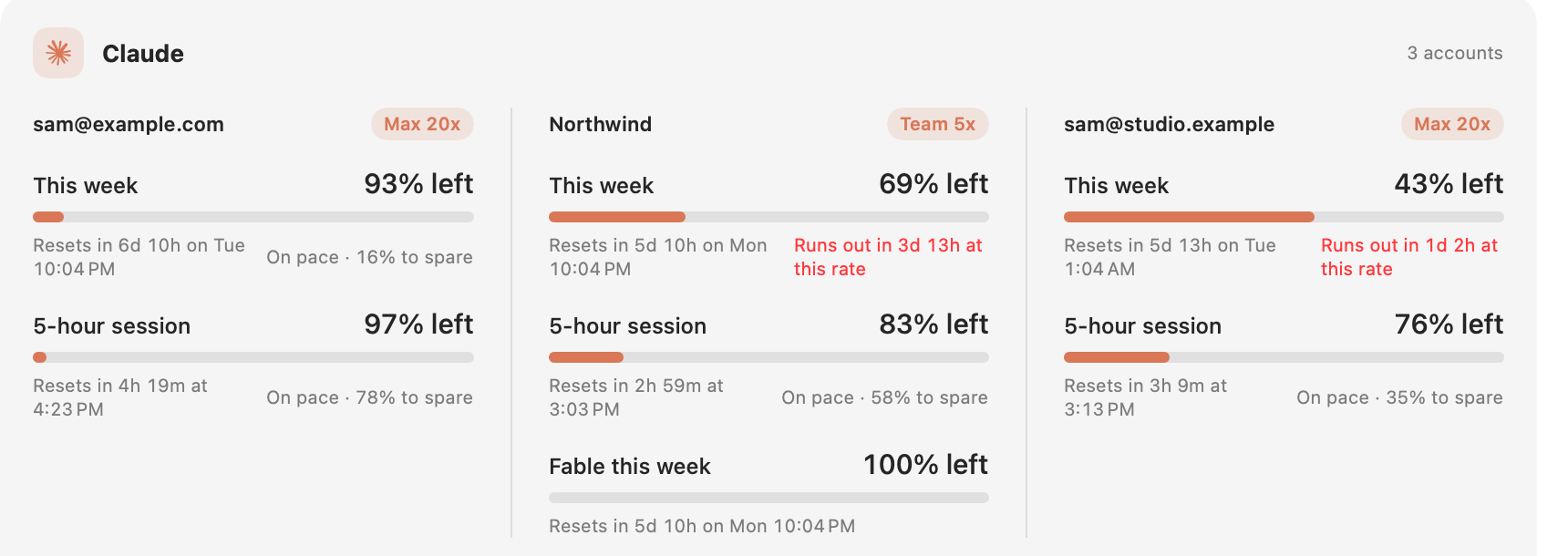
The week leads, because it is the limit that matters most. A 5-hour session comes back in hours; the week does not. The session and a model’s own limit are right under it.
To turn it on, open Settings → Integrations and turn on Usage Limits. Vitals finds the tools you are already signed in to. There is nothing to paste, and Vitals keeps no copy of your sign-in.
Every account, every profile
If you use more than one Claude account, each gets its own ring with its own week, session and reset. Every Claude Code profile on your Mac is found and named, so a personal plan and a team seat sit side by side. If you use Claude Code inside the Claude app, turn on Claude App Sign-In in the same settings.
In the menu bar
What is left of a plan can be a reading in the menu bar, like CPU or memory: each provider after its own mark, with the 5-hour session beside the week if you want it. Add it in Settings → Layout → Menu Bar. It turns red when a limit is nearly used up.
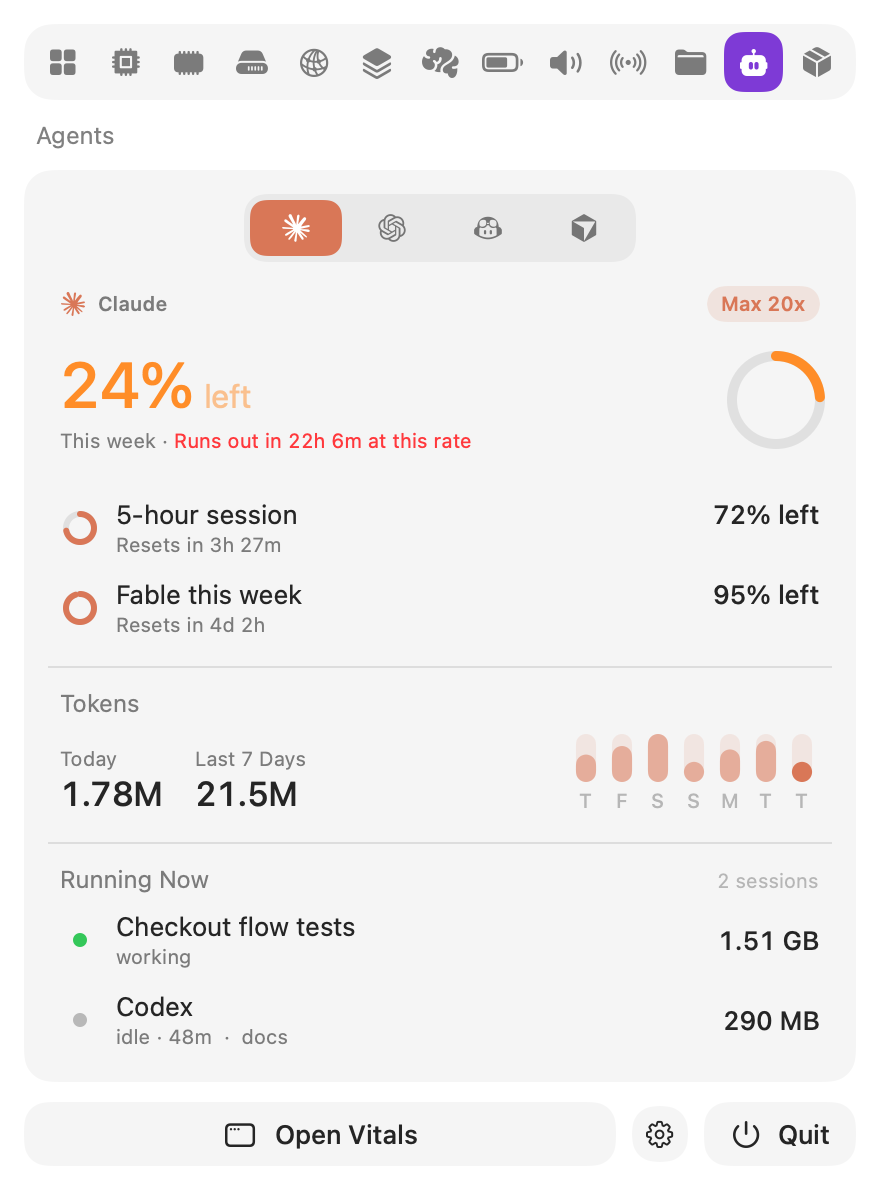
The dropdown has an Agents tab too, one provider at a time, and its Overview gets two new tiles: Agents and Containers.
Every coding agent, as a session
The new Agents tab lists every coding agent running on your Mac, Claude Code, Codex, Gemini CLI and the rest. Each row has the project it works in, whether it is working, waiting for you or idle, and for how long.
Open a session and everything it started is under it: the dev server, the test run, the browser it drives, each with its CPU and memory. Quit Session… quits the agent and everything it started together, so nothing is left behind holding a port. Vitals asks first.
Tokens
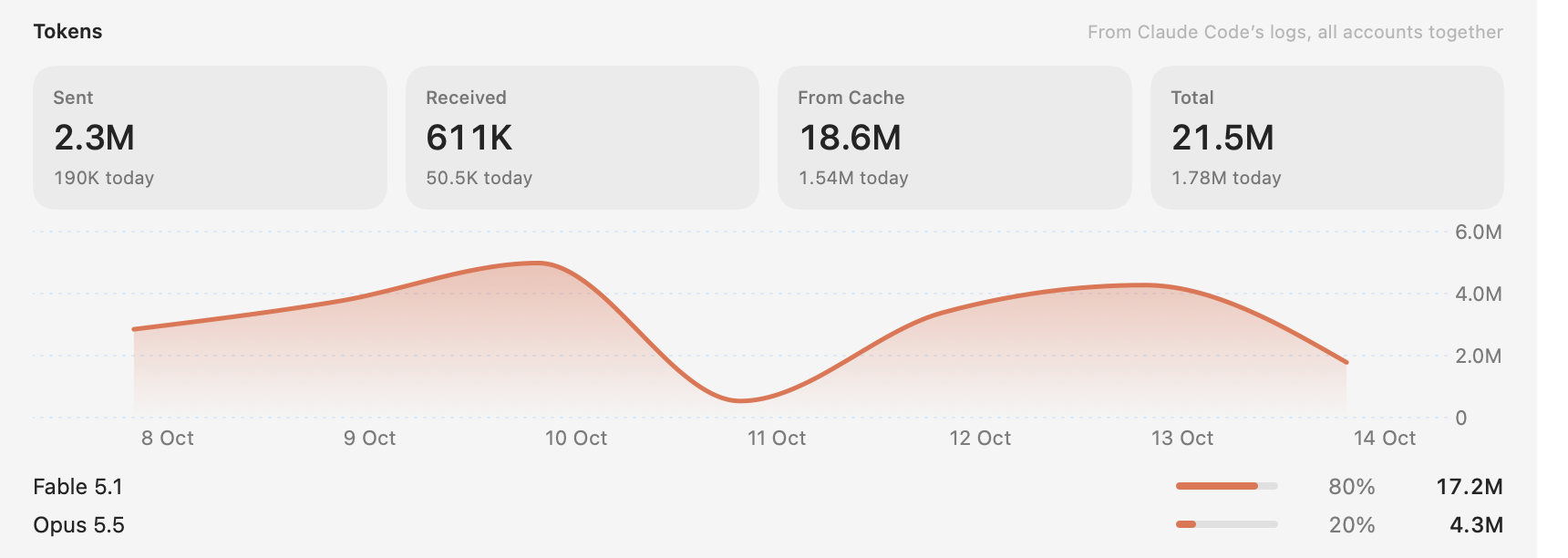
For Claude Code and Codex, Vitals counts the tokens used today and this week, with a chart of the week and the models that took them. It reads them from the logs the tools keep on your Mac, so nothing is sent anywhere for this.
Smaller things
- The strain notice can be hidden. The dropdown’s line about what is under strain stays on the Overview. Hide it with a right-click, or in Settings.
- Ask your assistant. If you let Claude, Codex or Cursor ask Vitals, they can ask which of your plans is closest to running out, or whether Claude Code is waiting for you anywhere.
- Two fixes. The GPU tab no longer says “Measuring…” when you open it again, and the temperature graph in the menu bar shows past readings again.
How to get it
All of this is in Vitals 1.7 and later. There is a page for this release with more pictures and answers to common questions.
The update is free for everyone who owns Vitals. Vitals offers it the next time it checks for updates. New to Vitals? Get it for Mac.
What comes next is on the roadmap. If something is missing from it, email me.